Programming a garage door opener sounds complicated at first, but once you understand the steps, it becomes surprisingly easy. Whether you’re setting up a brand-new remote or reprogramming an old one, the process is straightforward.
Why Programming Matters
Programming keeps your home secure and ensures only authorized remotes can access your garage. It also improves convenience and prevents accidental signal interference.
Understanding How Garage Door Openers Work
Modern openers use rolling codes. Each time you press your remote, the code changes, increasing security. The opener’s receiver matches this rolling code to open or close your door.
Types of Garage Door Openers
Remote-Control Openers
The most common system, allowing you to open the door with a handheld remote.
Keypad Entry Systems
Mounted outside the garage, keypads let you enter a PIN to access the door without a remote.
Smart Garage Door Systems
These systems pair with Wi-Fi and let you control your door using a mobile app or smart-home devices like Alexa or Google Home.
Required Tools and Preparation
Basic Items You’ll Need
- A ladder
- The remote or keypad
- Access to the opener motor unit
Safety Tips Before You Begin
- Make sure the door’s path is clear
- Use a stable ladder
- Keep children away while programming
How to Program a Garage Door Opener Remote
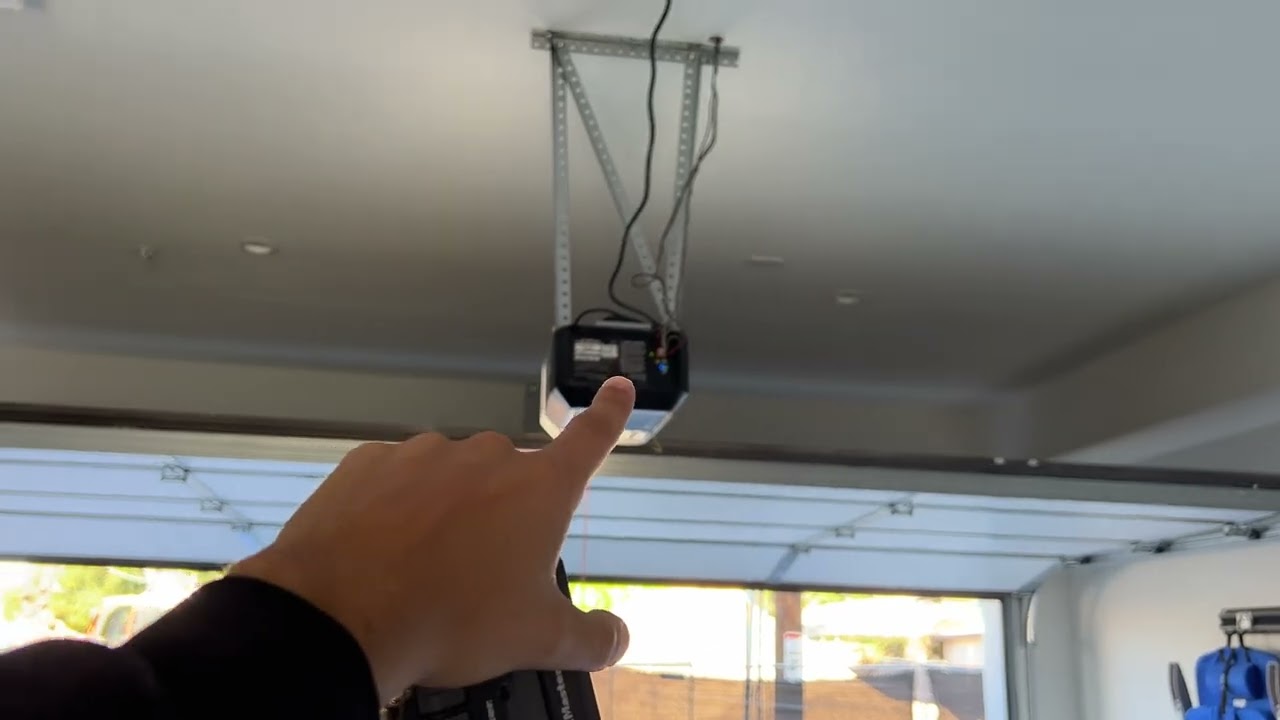
Step 1: Locate the “Learn” or “Program” Button
This button is usually located on the back or side of the opener unit. It may be under a small panel or near the antenna wire.
Step 2: Press the Learn Button
Press once. A small LED light will turn on, signaling programming mode.
Step 3: Press the Remote Button
Within 30 seconds, press and hold the button on your remote. The opener should blink or click, indicating successful pairing.
Step 4: Test the Remote
Move a few feet back and press the remote again. If the door moves, programming worked.
Troubleshooting Common Issues
- Replace remote batteries
- Move closer to the opener
- Re-enter programming mode
- Ensure the Learn button wasn’t held too long
How to Program a Garage Door Keypad
Step 1: Find the Learn Button
Same as with remotes—locate the Learn button on your opener.
Step 2: Enter a New PIN
Choose a secure 4-to-6 digit PIN.
Step 3: Press and Hold Keypad Buttons
Enter your PIN and press Enter or Program (depending on model). The opener light will flash once it’s accepted.
Step 4: Finalize Programming
Test by entering the PIN again. If the door opens, it’s set.
How to Program a Smart Garage Door Opener
Connecting to Wi-Fi
You’ll need a 2.4 GHz Wi-Fi network and the manufacturer’s app.
Using the Mobile App
Most apps will guide you through:
- Adding a new device
- Connecting to Wi-Fi
- Syncing the opener
Advanced Features You Can Use
- Remote monitoring
- Scheduled closing
- Alerts and notifications
- Guest access options
Resetting a Garage Door Opener
When Should You Reset?
Reset if:
- You lose a remote
- Someone moves out
- The opener glitches
- You want to clear old remotes
How to Reset Most Models
Hold the Learn button for 6–10 seconds until the LED goes off. This wipes all connected devices.
Maintenance Tips for Garage Door Openers
Lubrication
Oil hinges, rollers, and tracks every six months to maintain smooth operation.
Testing Sensors
Dirty or misaligned sensors prevent doors from closing properly. Keep them clean and aligned.
Battery Replacement
Replace remote and keypad batteries yearly for consistent performance.
Common Problems and Fixes
Remote Not Responding
- Change batteries
- Reprogram remote
- Ensure you’re within range
Door Not Closing Fully
Possible causes include:
- Misaligned sensors
- Obstructions
- Track friction
Keypad Not Working
- Replace batteries
- Re-enter PIN
- Reprogram the keypad
When to Call a Professional
Motor Issues
Grinding sounds usually mean internal damage requiring expert repair.
Electrical Problems
Never attempt wiring fixes yourself.
Safety Concerns
If the door falls, jerks, or shakes, call a professional immediately.
Conclusion
Learning how to program a garage door opener is a simple way to improve your home’s convenience and security. Whether you’re using a remote, keypad, or smart system, the setup takes just a few minutes. With the step-by-step instructions above, you can confidently handle the process on your own and avoid unnecessary service calls.
FAQs
1. How long does programming take?
Usually less than two minutes per device.
2. Why does my opener beep?
It may signal low battery, backup power, or a maintenance alert.
3. Can multiple remotes be programmed?
Yes, most openers support several remotes and keypads.
4. Why does my door stop halfway?
This could be due to sensor issues, bent tracks, or incorrect force settings.
5. Can I program my car’s built-in control?
Most HomeLink-enabled vehicles can be synced with compatible garage door openers.